Linux or Windows VPS · Tier-4 data centres · pay in rupees
GPU VPS and GPU servers for AI
Servers with a real graphics card, for AI, video and 3D work. From Rs 1,399 a month, paid with JazzCash, EasyPaisa or bank transfer.
- Instant activation
- Full root access
- Your own IP address
- 24/7 Urdu & English support
- JazzCash
- EasyPaisa
- SadaPay
- NayaPay
- Bank Transfer
- Credit/Debit Card
- USDT
- Crypto
- Rs 1,399GPU VPS from, per month
- Ask usMemory to start with
- LinuxBest system for this job
- InstantActivation after payment
- 24/7Urdu & English support
What is a GPU VPS?
GPU VPS: what it is and why people use one
There are not many graphics cards, and each one is priced on its own. So we give you a price when you ask, instead of listing it. What is free changes every week.
- Sized for your jobTell us what you run
- Ubuntu, Debian, AlmaLinux or RockyWindows is also available
- Full controlRoot access over SSH
- Fast NVMe storagePrograms and databases stay quick
- Your own IP addressClean and not shared
- DDoS protected100% uptime SLA guarantee
Setup guide
How to set up AI tools on a GPU server on a VPS
Four short steps. Stuck? Ask us before you order and we can set it up when we hand the server over.
Step 1
Tell us your AI model or program, so we pick the right graphics card.
Step 2
Log in with SSH and check the card with nvidia-smi.
Step 3
Install the NVIDIA driver and CUDA if they are not there yet.
Step 4
Install your tool — for example Ollama, PyTorch or Blender — and start working.
What to do in the first hour
- Log in with SSH and change the root password. Even better: add an SSH key and turn off password login.
- Update everything (apt upgrade or dnf upgrade) and restart.
- Turn on a firewall (ufw or firewalld) and open only the doors (ports) you need.
- Set up automatic backups to another place, and test once that you can get your files back.
Best location
Where to put your GPU VPS
Choose the location closest to the people or websites this server talks to most.
All VPS locations → Every plan and price → How to choose a location →
GPU VPS control panel
Manage your GPU VPS from one panel
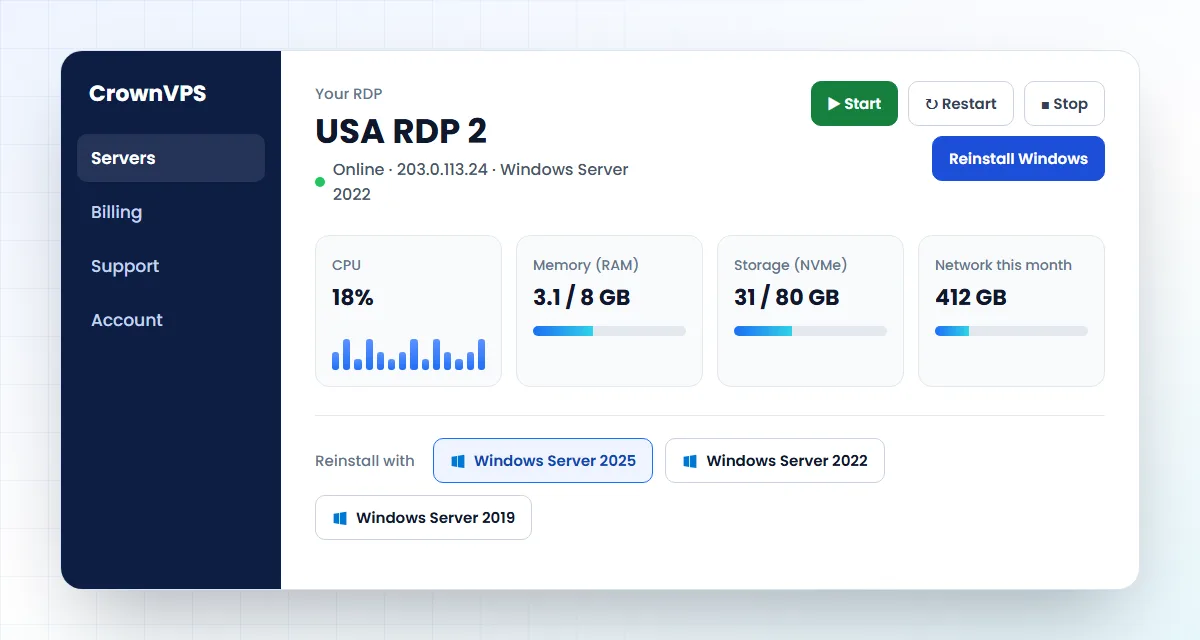
Start, restart, turn off or reinstall your server with one click, and see how busy it is. No need to ask us for everyday jobs.
- Start, restart and turn off your VPS
- Reinstall Windows or Linux in minutes
- See processor, memory and data use
- Bills, upgrades and help in one place
Buy GPU VPS online
How to buy a GPU VPS in Pakistan with JazzCash or EasyPaisa
Four easy steps. You do not need a credit card.
Pick a plan
Tell us your job and we suggest the size.
Choose country and system
Pick the country, then Ubuntu, Debian, AlmaLinux or Rocky Linux.
Pay from your phone
JazzCash, EasyPaisa, SadaPay, NayaPay or bank transfer. Cards and USDT work too.
Log in
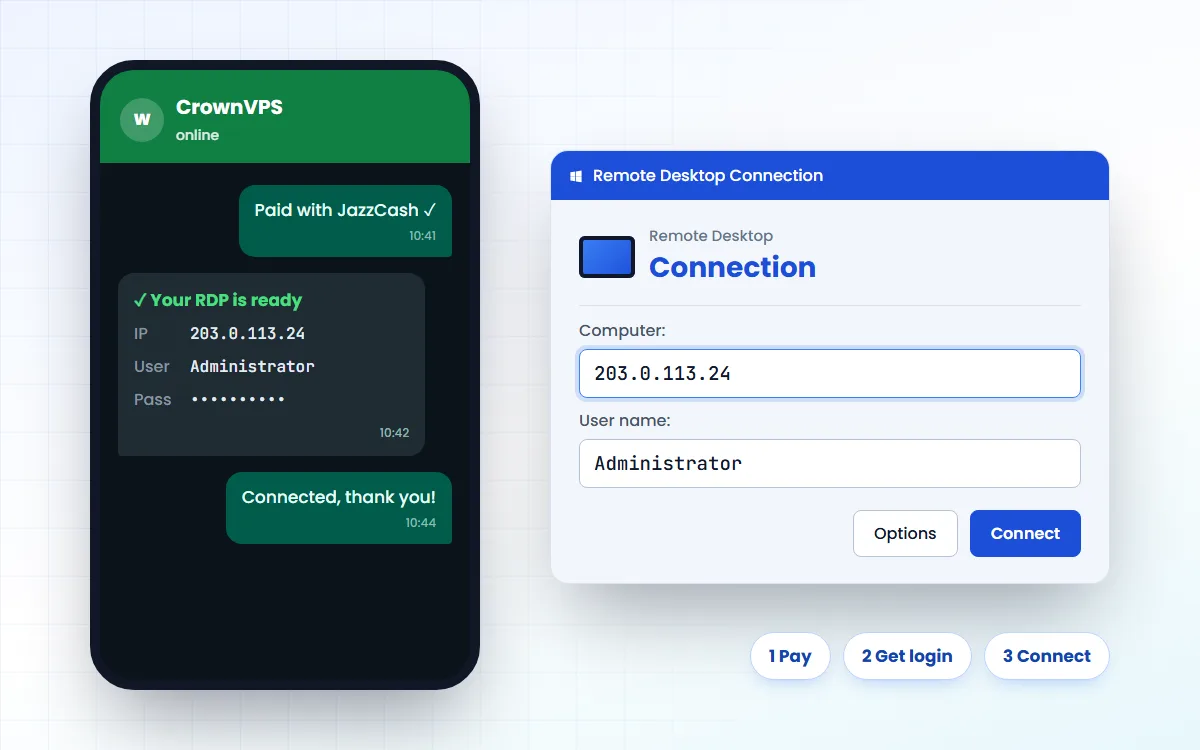
Your IP and root password arrive as soon as payment is confirmed. Log in with SSH.
Buy a GPU VPS with JazzCash
GPU VPS control panel
Why CrownVPS
Why buy your GPU VPS from CrownVPS?
CrownVPS is a project of Hostoy Limited, a hosting company registered in 2009. We started in 2023 as CROWNrdp.com and have delivered more than 50,000 servers to 10,000+ customers.
-
Tier-4 data centres
Your GPU VPS runs in top-tier data centres with backup power, cooling and network.
-
100% uptime SLA guarantee
We guarantee your VPS stays online. Every plan is covered by our uptime SLA.
-
DDoS protection
Floods of fake traffic are blocked before they reach your VPS.
-
Clean IP addresses
Your IP is not on spam blacklists, so websites and banks trust it.
-
Instant activation
Your login arrives as soon as your payment is confirmed.
-
24/7 Urdu & English support
Talk to a real person on WhatsApp, day or night.
GPU VPS at a glance
- Seller
- CrownVPS, a project of Hostoy Limited (since 2009)
- Price
- From Rs 1,399 a month, paid monthly
- Where
- United States, Germany and more
- Data centres
- Tier-4
- Type
- Private VPS (virtual private server), never shared
- Uptime
- 100% uptime SLA guarantee
- Operating system
- Ubuntu, Debian, AlmaLinux, Rocky Linux (Windows also available)
- Activation
- Instant, after payment
- Payment
- JazzCash, EasyPaisa, bank transfer, card or USDT
- Support
- 24/7 on WhatsApp, in Urdu and English
About CrownVPS Contact us Read our reviews on Trustpilot Refund Policy
GPU VPS questions
What is the GPU VPS price in Pakistan?
GPU prices depend on the graphics card and what is free that week. Tell us your AI model or program on WhatsApp and we send you the price.
How do I set up AI tools on a GPU server on a VPS?
1) Tell us your AI model or program, so we pick the right graphics card. 2) Log in with SSH and check the card with nvidia-smi. 3) Install the NVIDIA driver and CUDA if they are not there yet. 4) Install your tool — for example Ollama, PyTorch or Blender — and start working.
Which graphics card do I need for AI?
One with enough graphics memory (VRAM) to fit your AI model. A small model (7 or 8 billion parameters, 4-bit) fits in about 6 to 8 GB. Bigger models need cards with 24 GB or more. Tell us the model, and we will tell you which card fits.
Why do you not show GPU prices?
There are not many graphics cards, each one has its own price, and what is free changes every week. We only show what we can really give you, so we tell you the GPU price when you ask.
Windows or Linux — which should I choose?
Linux for most people: it is lighter, so the same plan does more. Choose Windows only if a program you need runs on Windows. You can change later from your control panel.
Do I get full admin access?
Yes. Every plan gives you full control (Administrator on Windows, root on Linux). You can install and set up anything this job needs. The server is yours for as long as you have paid.
Is it managed or self-managed?
Self-managed. We look after the hardware, the network and installing your system; you look after your programs and updates. We are on WhatsApp 24/7 if you get stuck.
Can I start small and upgrade later?
Yes, and we suggest it. Start with the smallest plan that does the job. Move up once you know how much you really use. It costs less than buying too big on the first day.
How do I pay from Pakistan?
JazzCash, EasyPaisa, SadaPay, NayaPay or a normal bank transfer — you do not need an international card. Cards, USDT and crypto also work. Prices are shown in rupees, and the bill is made in US dollars.
What is your refund policy?
Please read our Refund Policy page, where every case is explained. If you are not sure a plan fits your job, message us before paying and we will tell you honestly.
Roman Urdu mein sawal jawab
GPU VPS kya hai?
GPU VPS internet par aap ka apna server hai jo din raat on rehta hai. Aap isay SSH se chalate hain, aur is par apni app ya website rakhte hain.
GPU VPS ke liye kitni RAM chahiye?
Apna kaam WhatsApp par batayein, hum sahi size bata denge.
Pakistan se GPU VPS kaise kharidein?
Plan chunein, JazzCash ya EasyPaisa se payment karein aur transaction ID WhatsApp par bhej dein. Payment confirm hote hi login mil jata hai.
Get your GPU VPS today
Tell us what you want to run. We will tell you the right size and country — and if nothing fits, we will tell you that too.