In short: Windows VPS = a VPS + Windows Server + Remote Desktop access. People in Pakistan often call it “an RDP” or “admin RDP”. What is a VPS?
What you get with a Windows VPS
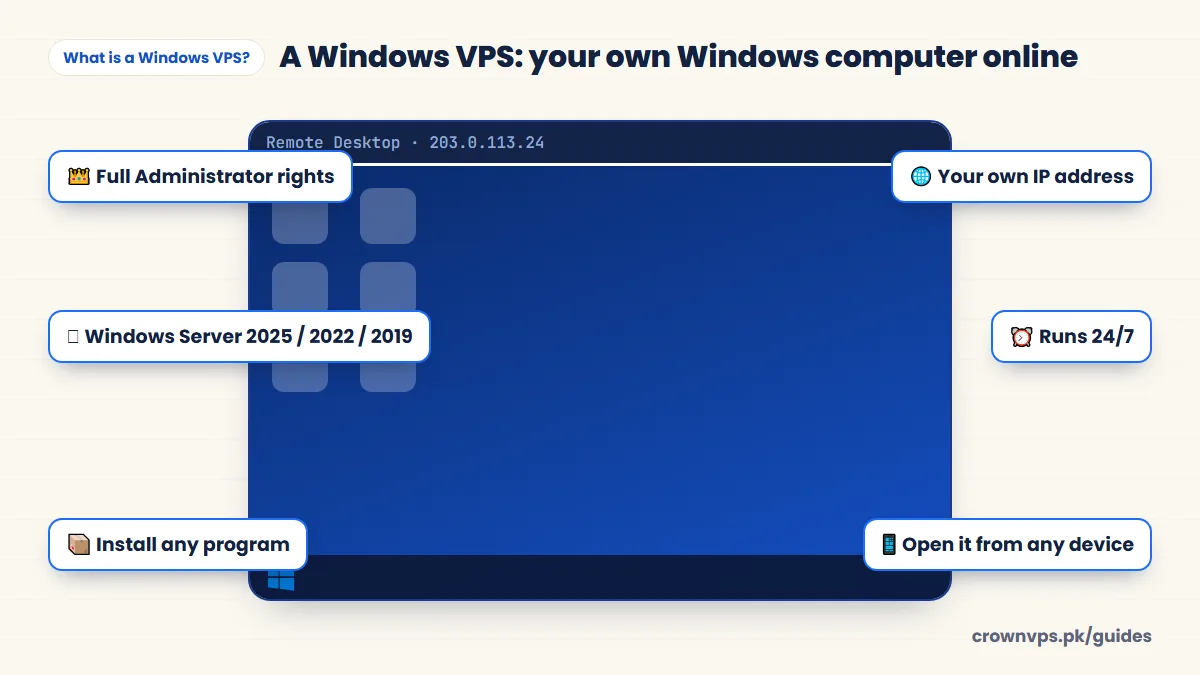
How a Windows VPS works
A big physical server in a data centre is split into private parts by a hypervisor. Your part gets its own processor share (vCPU), memory (RAM), fast storage and IP address, and Windows Server is installed on it. You connect from your own device with a Remote Desktop app, log in, and the Windows desktop opens in a window. The programs run on the server, so your own computer can be small or even off afterwards.
What a Windows VPS is used for
- A work desktop you reach from anywhere — one steady machine and IP address for freelance work and client systems. RDP hosting
- Trading — MetaTrader 4 and 5 with Expert Advisors running 24/7. Forex VPS
- Business software made only for Windows — accounting software, SQL Server, and older desktop apps your team uses from far away.
- Android emulators (apps that run Android on a PC) — BlueStacks and LDPlayer. Emulator VPS
- Streaming and automatic desktop tasks — OBS, browser automation, and tasks that run on a schedule. Streaming VPS
- Websites built with ASP.NET — Microsoft’s web tools run on Windows with IIS.
Windows Server versions: 2019, 2022 or 2025?
Windows Server looks like Windows 10 or 11, but it is made to run nonstop and to serve other people. You pick the version when you order and can change it later.
Windows Server versions and security updates
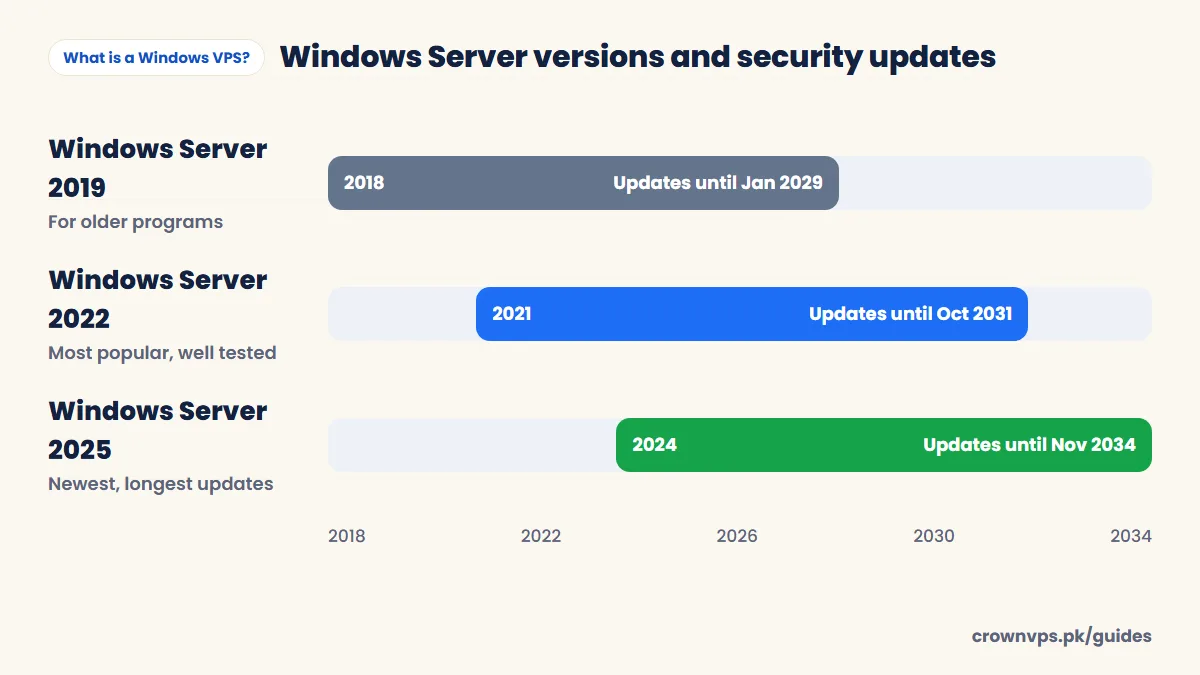
| Version | Released | Security updates until | Choose it when |
|---|---|---|---|
| Windows Server 2025 | November 2024 | November 2034 | You start fresh and want the longest updates. Looks like Windows 11. |
| Windows Server 2022 | August 2021 | October 2031 | You want the most used, well-tested version. New features stop in October 2026, but security updates continue. |
| Windows Server 2019 | October 2018 | January 2029 | An older program only works on 2019. Looks like Windows 10. |
Dates are from Microsoft’s product lifecycle pages. Need the Windows 10 or 11 desktop instead? See Windows 10 VPS and Windows 11 VPS — ask us first which plans can run them.
What size Windows VPS do you need?
Microsoft says Windows Server with a desktop needs at least 2 GB of memory (4 GB is recommended for Windows Server 2025) and at least 32 GB of storage. In real use, Windows keeps about 2–3 GB of memory for itself, so:
| Your work | Start with |
|---|---|
| One light job, like one trading app | 2 vCPU · 2–4 GB RAM |
| Browsing, office work, 1–2 MetaTrader | 2 vCPU · 4 GB RAM |
| Many browser tabs, automation, 3–5 MetaTrader | 4 vCPU · 8 GB RAM |
| An Android emulator | 4 vCPU · 8 GB RAM |
That is why our smallest 20 GB storage plans are Linux only — Windows needs 32 GB. Full RAM guide.
How many people can log in at once?
Windows Server lets two administrators be logged in at the same time with Remote Desktop. For more people at once, Microsoft asks for extra Remote Desktop Services licences (RDS CALs). Other Microsoft software, like Microsoft Office or SQL Server Standard, is also separate. Tell us what you need and we will explain the options.
Windows VPS vs Linux VPS
| Windows VPS | Linux VPS | |
|---|---|---|
| How you use it | A desktop through Remote Desktop | Typed commands over SSH, or a web panel |
| Runs | Windows programs, MT4/MT5, emulators, .NET | Websites, PHP, Node.js, Python, Docker |
| Memory use | Heavier — Windows itself needs 2–3 GB RAM | Lighter — more left for your apps |
| Best for | Desktop work and Windows software | Servers, websites and automatic tasks |
How to get started with a Windows VPS
- Choose a plan and a country — Windows VPS plans start at Rs 1,399 a month.
- Pick Windows Server 2025, 2022 or 2019 and pay with JazzCash, EasyPaisa, bank transfer, card or USDT.
- You get the IP address, username and password as soon as your payment is confirmed.
- Open Remote Desktop and log in. How to connect
- Change the password and run Windows Update. Security checklist
Quick summary
- A Windows VPS is your own Windows Server computer online, opened with Remote Desktop.
- It runs Windows programs 24/7 with full admin rights and its own IP.
- Pick 2025 for the longest updates, 2022 for the most tested, 2019 for older programs.
- Start with 2 vCPU and 4 GB RAM for normal desktop work.
Frequently asked
How much RAM does a Windows VPS need?
4 GB of memory (RAM) is a good minimum for Windows Server with a browser and a few programs open. 2 GB works for one light job, like one trading app. Emulators and heavy software need 8 GB or more. RAM guide.
Is a Windows VPS the same as a Windows RDP?
Yes, in real life they mean the same thing. “RDP” is how you connect. The Windows VPS is what you connect to. Sellers use both words for the same thing.
Can I use a Windows VPS from a Mac or phone?
Yes. Install the free Windows App from the App Store or Google Play, add your server’s IP and log in.
Which Windows Server version should I choose?
Windows Server 2022 for most people, 2025 if you want the newest with the longest updates, and 2019 only if a program needs it. You can change later.
Does a Windows VPS get a dedicated IP?
Yes. Every Windows VPS has its own IPv4 address that only you use.
How much is a Windows VPS in Pakistan?
Our Windows VPS plans start at Rs 1,399 a month in Pakistan. See Windows VPS plans.
Roman Urdu mein sawal jawab
Windows VPS kya hai?
Windows VPS internet par aap ka apna Windows Server computer hai. Aap isay Remote Desktop se laptop ya mobile par kholte hain, aur yeh din raat on rehta hai.
Windows VPS aur RDP mein kya farq hai?
Asal mein dono ek hi cheez hain. RDP connect karne ka tareeqa hai, aur Windows VPS woh computer hai jis se aap connect karte hain.
Windows VPS ke liye kitni RAM chahiye?
Aam kaam ke liye 4 GB RAM. Emulator ya bohat se programs ke liye 8 GB.
Written in plain English by the CrownVPS support team. Something not clear? Tell us on WhatsApp and we will explain — and improve the guide.