Thailand IP · private admin RDP
Buy Thailand RDP in Pakistan with full admin access
Your own Windows computer in Thailand, with a Thailand IP address that only you use. You open it from your laptop or phone in Pakistan. From Rs 3,399 a month, paid with JazzCash, EasyPaisa or bank transfer. It is ready as soon as you pay.
- Instant activation
- Full admin rights
- Clean Thailand IP
- 24/7 Urdu & English support
- JazzCash
- EasyPaisa
- SadaPay
- NayaPay
- Bank Transfer
- Credit/Debit Card
- USDT
- Crypto
- Rs 3,399Thailand RDP from, per month
- ThailandIP address country
- AdminFull access rights
- InstantActivation after payment
- 24/7Urdu & English support
What is a Thailand RDP?
Thailand RDP: a Windows computer in Thailand that only you use
Every CrownVPS RDP is an admin RDP. That means the whole Windows computer is yours, with full Administrator rights. It is never one account on a computer that many people share. Admin RDP vs shared RDP.
- Full admin rightsInstall any program
- Thailand IP addressOnly yours, not blacklisted
- Windows Server 2025, 2022 or 2019You choose when you order
- Fast NVMe storagePrograms open quickly
- DDoS protectedFake traffic floods are blocked
- Monthly, no contractUpgrade or stop any month
Thailand RDP in Pakistan — admin RDP
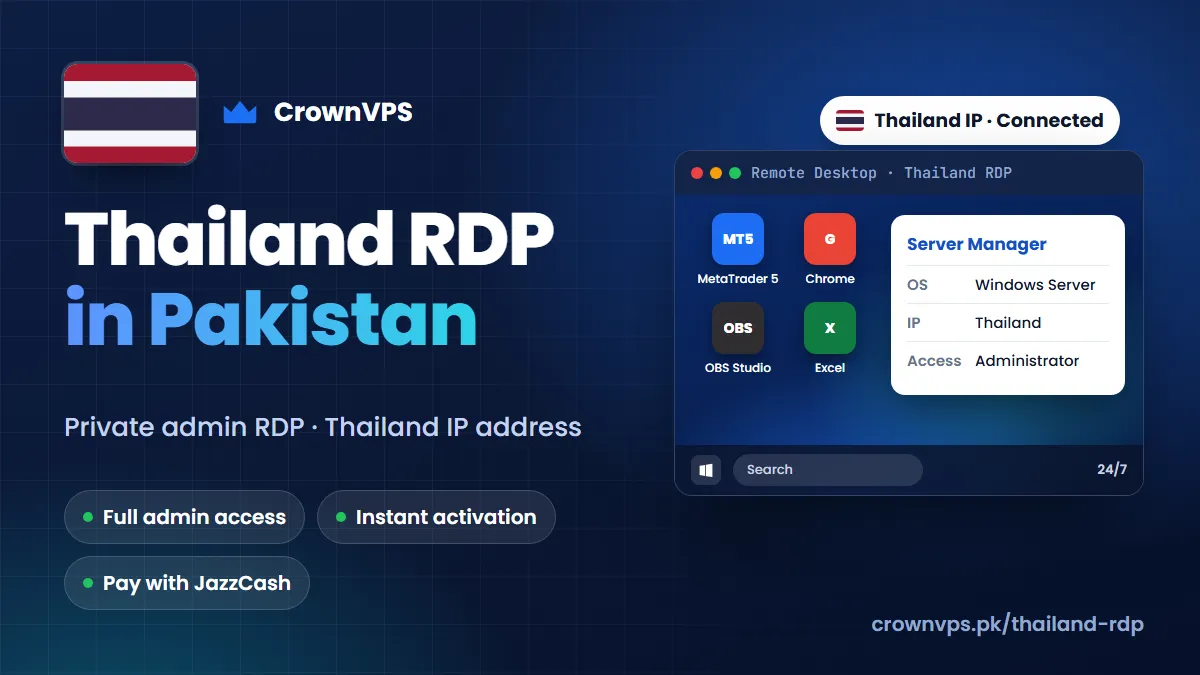
Why buy a Thailand RDP from Pakistan?
- Work with a Thailand IP address from home in Pakistan
- Pay in rupees with JazzCash or EasyPaisa — no foreign card needed
- Keeps working during load-shedding or when your internet drops
- Help on WhatsApp in Urdu or English, day and night
Thailand RDP price list
Thailand RDP price in Pakistan
Prices are in rupees. You pay the US dollar amount written under each price. Start with the smallest plan that is enough; you can move up later.
Thailand RDP 1
StarterStarting from
Rs3,399
Monthly · billed $11.99 USD
- CPU
- 1 vCore CPU
- RAM
- 2GB DDR4 RAM
- Storage
- 40GB NVMe SSD
- Bandwidth
- 1TB
- IPv4
- 1 Dedicated
- Billing
- Monthly Renewable
- DDoS
- Protected
- Access
- Full Admin
Thailand RDP 2
Starting from
Rs4,999
Monthly · billed $17.99 USD
- CPU
- 2 vCore CPU
- RAM
- 4GB DDR4 RAM
- Storage
- 50GB NVMe SSD
- Bandwidth
- 1TB
- IPv4
- 1 Dedicated
- Billing
- Monthly Renewable
- DDoS
- Protected
- Access
- Full Admin
Thailand RDP 3
Most PopularStarting from
Rs6,499
Monthly · billed $22.99 USD
- CPU
- 2 vCore CPU
- RAM
- 8GB DDR4 RAM
- Storage
- 50GB NVMe SSD
- Bandwidth
- 1TB
- IPv4
- 1 Dedicated
- Billing
- Monthly Renewable
- DDoS
- Protected
- Access
- Full Admin
Thailand RDP 4
Starting from
Rs8,499
Monthly · billed $29.99 USD
- CPU
- 4 vCore CPU
- RAM
- 8GB DDR4 RAM
- Storage
- 60GB NVMe SSD
- Bandwidth
- 2TB
- IPv4
- 1 Dedicated
- Billing
- Monthly Renewable
- DDoS
- Protected
- Access
- Full Admin
Thailand RDP 5
Starting from
Rs11,999
Monthly · billed $42.99 USD
- CPU
- 4 vCore CPU
- RAM
- 16GB DDR4 RAM
- Storage
- 60GB NVMe SSD
- Bandwidth
- 5TB
- IPv4
- 1 Dedicated
- Billing
- Monthly Renewable
- DDoS
- Protected
- Access
- Full Admin
Thailand RDP 6
Starting from
Rs16,999
Monthly · billed $59.99 USD
- CPU
- 8 vCore CPU
- RAM
- 16GB DDR4 RAM
- Storage
- 100GB NVMe SSD
- Bandwidth
- 5TB
- IPv4
- 1 Dedicated
- Billing
- Monthly Renewable
- DDoS
- Protected
- Access
- Full Admin
Rupee prices use Rs 280 for 1 USD. At checkout you pay in US dollars.
All Thailand RDP plans are available. To confirm availability, contact our WhatsApp support. Confirm on WhatsApp
Dedicated IP
Your own Thailand IP address
Every Thailand RDP comes with one IPv4 address. Websites see this IP, not your home internet in Pakistan.
-
Only yours
Nobody else uses your IP address. It is not shared with other customers.
-
Stays the same
The same IP every day, so websites always see you in one place.
-
Clean IP
Not on spam blacklists, so websites, banks and email trust it.
-
Shows Thailand
Websites normally show Thailand. A new IP can take a few days to show the right country everywhere.
It is a data-centre IP, not a home (residential) IP. Need a residential IP? Ask us on WhatsApp first.
Fast Thailand RDP
Fast Thailand RDP with high speed internet
A Thailand RDP is only as good as the computer behind it. Here is what makes ours fast.
-
High speed internet
Your Thailand RDP uses the data centre's internet, not your home connection. Big downloads, uploads and websites load quickly, even when your internet in Pakistan is slow. Plans include 1 TB to 5 TB of data a month.
-
Fast NVMe storage
NVMe is the fastest kind of SSD storage. Windows starts quickly and programs open fast.
-
Powerful plans
DDR4 memory, and plans up to 8 vCore and 16 GB RAM for heavy work, many browsers or emulators.
-
Stable and reliable
Every plan has our 100% uptime SLA guarantee and DDoS protection, so your RDP stays online.
Speed
Thailand RDP ping from Karachi, Lahore and Islamabad
| From | Distance | Best possible ping | Usual ping |
|---|---|---|---|
| Karachi | 3,712 km | 37 ms | 52–74 ms |
| Lahore | 3,318 km | 33 ms | 46–66 ms |
| Islamabad | 3,545 km | 35 ms | 49–70 ms |
Ping is the time a click takes to go to the RDP and come back. Internet signals travel about 200 km every millisecond, and real routes are longer, so usual ping is 1.5 to 2 times the best case. These are estimates, not live tests. Remote Desktop works well even at 250 ms.
Tip: choose a Thailand RDP when you need a Thailand IP, or when your clients and websites are in Thailand. If you only need a fast Windows desktop for yourself, a Pakistan RDP feels quicker. Pakistan RDP
Who buys a Thailand RDP
What people in Pakistan use a Thailand RDP for
Choose Thailand when you need a Thailand IP, or when the people and websites your RDP works with are there.
- Apps and websites with users in Thailand
- Businesses selling into East or South-East Asia
- Teams that need a Thailand IP address
- Workloads that talk to Asian APIs and exchanges
-
Thailand RDP for live streams
Run OBS Studio on a Windows RDP with fast data-centre internet. Your live stream keeps going day and night — no home…
4 vCore 8 GB RAM
Streaming RDP -
Thailand RDP for Android apps
Run Android apps on a strong Windows RDP with BlueStacks, LDPlayer or MEmu. It runs 24/7, so your apps keep going when…
4 vCore 8 GB RAM
Emulator RDP -
Thailand RDP for bots
Run your desktop bots, browser automation and scheduled scripts on a private Windows RDP. It stays on day and night, with one…
2 vCore 4 GB RAM
Botting RDP -
Thailand RDP for Upwork and Fiverr work
One steady Windows desktop, with the same IP address every day, for Upwork, Fiverr and your clients’ systems. It stays on when…
2 vCore 4 GB RAM
RDP for Upwork
Cheap Thailand RDP, without the catch
Thailand admin RDP vs shared RDP
Some very cheap RDPs are one account on a computer that many people share. Here is the difference.
| Our Thailand admin RDP | Shared RDP | |
|---|---|---|
| What you get | A whole Windows computer | One account on someone else's computer |
| Install your own programs | Yes, full admin | No |
| Thailand IP address | Only yours | Shared with others |
| Speed | Your own CPU and RAM | Slow when others are busy |
| Restart or reinstall Windows | Yes, from your panel | No |
Thailand Windows RDP
Thailand RDP with Windows Server 2025, 2022 or 2019
Pick your Windows when you order. You can change it later from your control panel.
Thailand RDP control panel
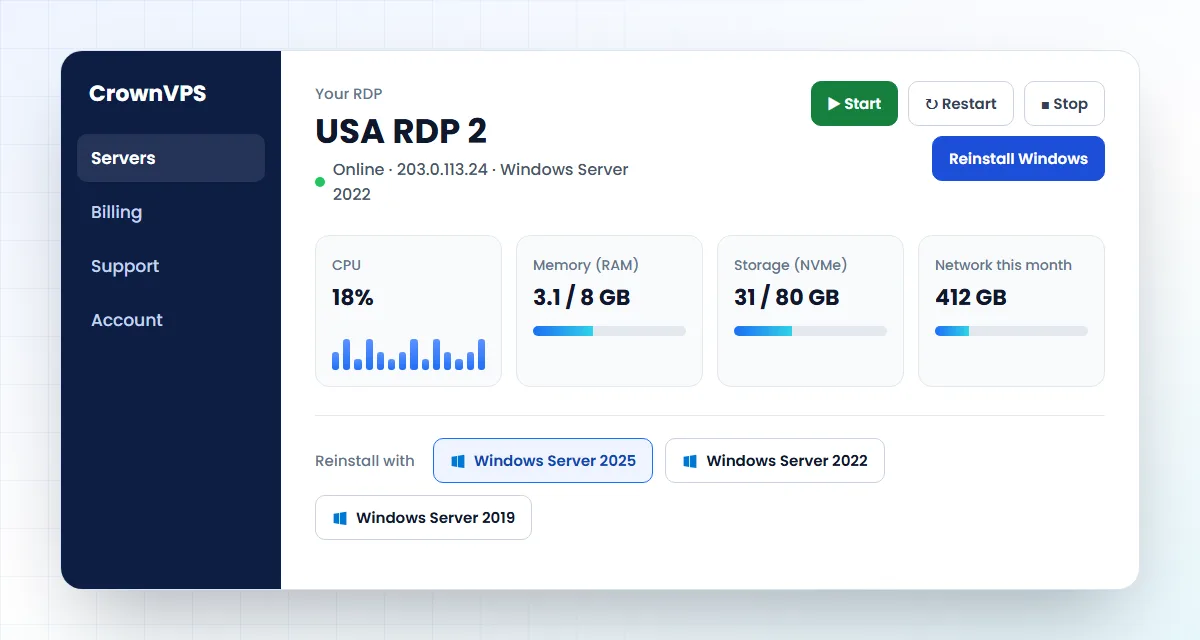
Start, restart or reinstall your Thailand RDP in one click
You do not need to ask us for everyday jobs. Your client area has a control panel for your RDP.
- Start, restart and turn off your RDP
- Put Windows back on fresh, or change the version
- See how busy the processor, memory and storage are
Picture for illustration; your real panel shows your own RDP.
Thailand RDP control panel
Buy Thailand RDP online
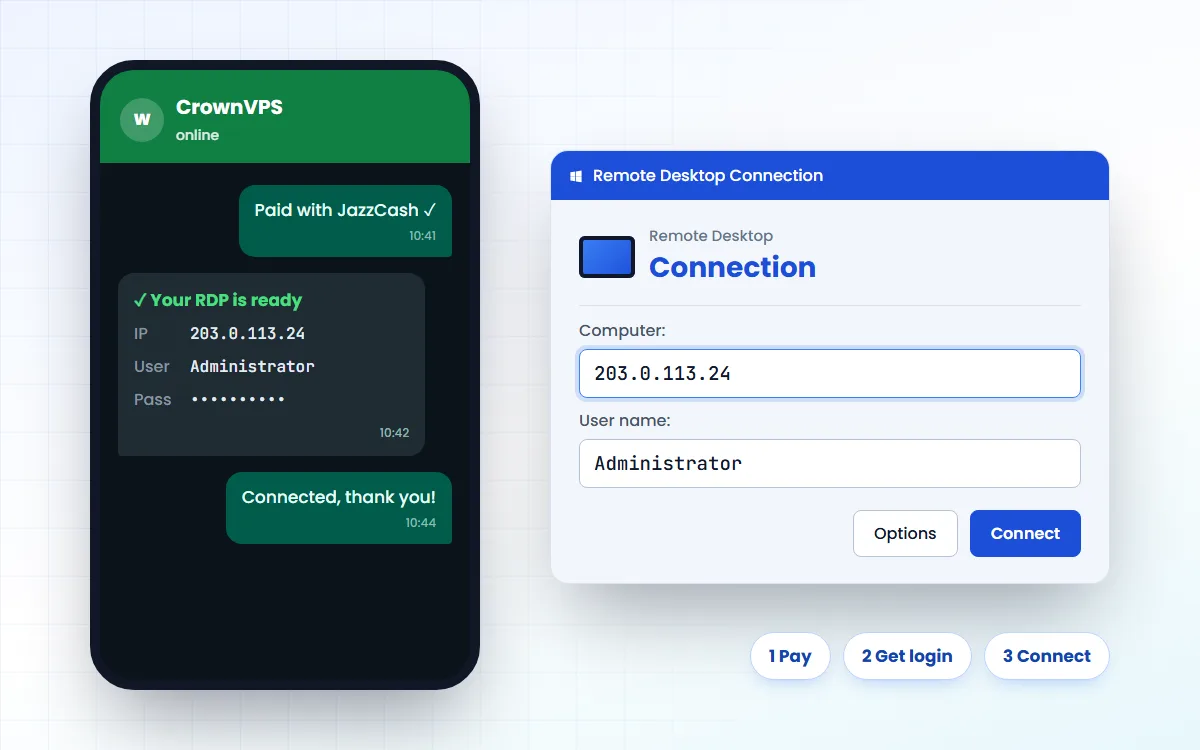
How to buy Thailand RDP in Pakistan with JazzCash or EasyPaisa
Four easy steps. You do not need a credit card.
Pick a size
Start with the smallest plan that does the job. You can move up later in minutes.
Pay from Pakistan
JazzCash, EasyPaisa, SadaPay, NayaPay or bank transfer. Cards, USDT and crypto work too.
Get your login
Your IP address, username and password arrive as soon as your payment is confirmed.
Connect
Open Remote Desktop, type the IP and log in. Change your password first.
Buy Thailand RDP with JazzCash or EasyPaisa
Connect
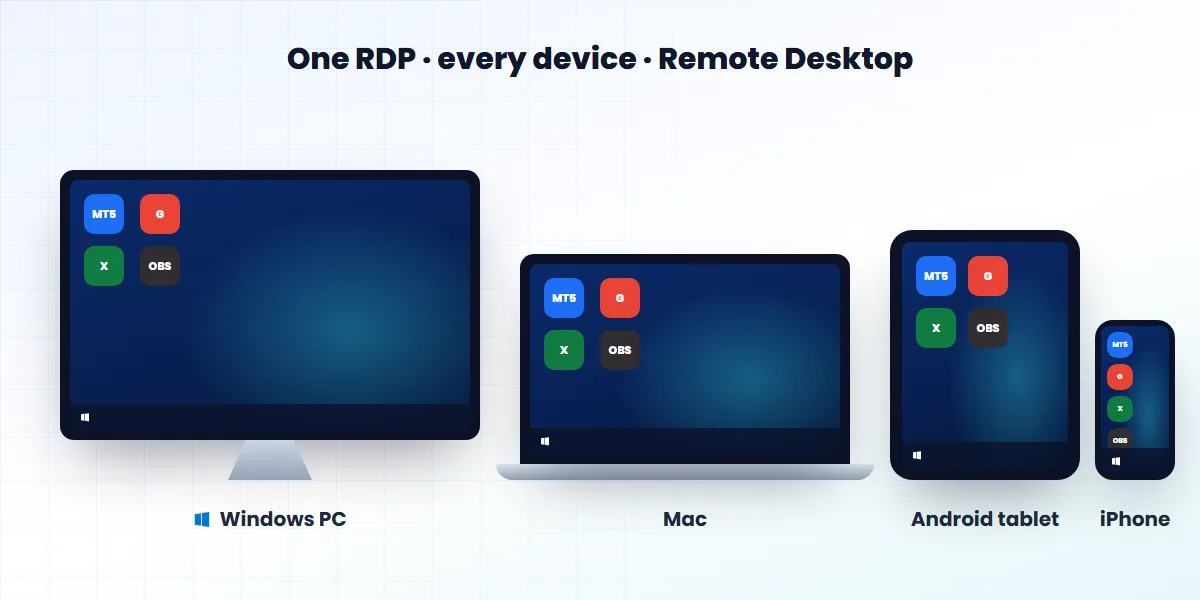
How to use your Thailand RDP on a PC, Mac or phone
Remote Desktop is free on every device. You need three things we send you: the IP address, the username and the password.
Use your Thailand RDP on PC, Mac, Android and iPhone
-
Windows PC
- Press Windows + R, type mstsc and press Enter.
- Type your RDP IP address and click Connect.
- Enter your username and password.
-
Mac
- Install the free Windows App from the App Store.
- Click + and choose Add PC.
- Type the IP, then log in.
-
Android
- Install the free Windows App from Google Play.
- Tap + and choose Add PC.
- Type the IP, then log in.
-
iPhone and iPad
- Install the free Windows App from the App Store.
- Tap + and choose Add PC.
- Type the IP, then log in.
RDP in cities and regions of Thailand
Want an RDP in a city closer to you or your users?
Why CrownVPS
Why buy your Thailand RDP from CrownVPS?
CrownVPS is a project of Hostoy Limited, a hosting company registered in 2009. We started in 2023 as CROWNrdp.com and have delivered more than 50,000 servers to 10,000+ customers.
-
Tier-4 data centres
Your Thailand RDP runs in top-tier data centres with backup power, cooling and network.
-
100% uptime SLA guarantee
We guarantee your RDP stays online. Every plan is covered by our uptime SLA.
-
DDoS protection
Floods of fake traffic are blocked before they reach your RDP.
-
Clean IP addresses
Your IP is not on spam blacklists, so websites and banks trust it.
-
Instant activation
Your login arrives as soon as your payment is confirmed.
-
24/7 Urdu & English support
Talk to a real person on WhatsApp, day or night.
Thailand RDP at a glance
- Seller
- CrownVPS, a project of Hostoy Limited (since 2009)
- Price
- From Rs 3,399 a month, paid monthly
- Where
- Thailand (Thailand IP)
- Data centres
- Tier-4
- Type
- Private admin RDP, never shared
- Uptime
- 100% uptime SLA guarantee
- Operating system
- Windows Server 2025, 2022 or 2019
- Activation
- Instant, after payment
- Payment
- JazzCash, EasyPaisa, bank transfer, card or USDT
- Support
- 24/7 on WhatsApp, in Urdu and English
About CrownVPS Contact us Read our reviews on Trustpilot Refund Policy
Thailand RDP questions
What is a Thailand RDP?
A Thailand RDP is a Windows computer in Thailand that you open over the internet with Remote Desktop. It has a Thailand IP address, so websites see Thailand, not Pakistan.
What is the Thailand RDP price in Pakistan?
A Thailand RDP starts at Rs 3,399 a month (US$11.99). Bigger plans with more memory cost more. Every price is on this page, in rupees, with the dollar amount under it.
How do I buy a Thailand RDP from Pakistan?
Pick a plan on this page, pay with JazzCash, EasyPaisa, SadaPay, NayaPay or bank transfer, and send us the transaction ID. We send your IP, username and password as soon as the payment is confirmed.
Is this an admin RDP or a shared RDP?
Admin RDP. You get a whole Windows computer with full Administrator rights and your own IP. Nobody else has an account on it.
Is there a cheap Thailand RDP?
Our smallest Thailand RDP is Rs 3,399 a month, and it is still a private admin RDP with its own IP. Very cheap RDPs are often shared, so check that you get admin rights.
Will my RDP IP show as Thailand?
Yes. The IP belongs to the place where the RDP runs, so websites normally show Thailand. A new IP can take a few days to show the right country on every website. If a website shows the wrong place, tell us.
Is it a residential IP?
No. It is a data-centre IP address that only you use. If you need a residential (home) IP, message us on WhatsApp before you order.
What ping will I get to a Thailand RDP from Pakistan?
Thailand is about 3,712 km from Karachi, so the best possible ping is about 37 ms and a usual ping is 52–74 ms. That is fine for Remote Desktop work.
Is your Thailand RDP fast?
Yes. Every Thailand RDP has fast NVMe storage, DDR4 memory and the data centre's high speed internet, so it does not depend on your home internet. Pick more vCore and RAM for heavy work.
How much data (bandwidth) does a Thailand RDP include?
Plans include 1 TB to 5 TB of data a month — bigger plans include more.
Can I use a Thailand RDP for Upwork, Amazon or social media?
Yes. Many people use one Thailand RDP every day as a steady computer with one IP. Please follow each website's own rules — an RDP does not change them.
Which Windows do I get?
You choose Windows Server 2025, 2022 or 2019 when you order. You can change it later from your control panel.
How do I connect to my Thailand RDP?
On a Windows PC, press Windows + R, type mstsc, enter the IP and log in. On a Mac, Android phone or iPhone, install the free Windows App.
Can I pay with USDT or a card?
Yes. Besides JazzCash, EasyPaisa and bank transfer, you can pay with a debit or credit card, USDT or other crypto.
Thailand RDP or Thailand VPS — which do I need?
They are the same server. This page shows the Windows plans you open with Remote Desktop. If you need Linux, see our Thailand VPS page.
What is your refund policy?
Please read our Refund Policy page, where every case is explained. If you are not sure which plan fits, message us before you order.
Roman Urdu mein sawal jawab
Thailand RDP kya hai?
Thailand RDP Thailand mein ek Windows computer hai jo aap Pakistan se apne laptop ya mobile par kholte hain. Is ka IP Thailand ka hota hai.
Thailand RDP ki qeemat kya hai?
Thailand RDP Rs 3,399 mahana se shuru hai, apne Thailand IP aur full admin access ke saath.
Pakistan se Thailand RDP kaise kharidein?
Plan chunein, JazzCash ya EasyPaisa se payment karein aur transaction ID WhatsApp par bhej dein. Payment confirm hote hi RDP mil jata hai.
More RDP locations in Asia-Pacific
- Singapore RDPfrom Rs 3,399/mo
- Japan RDPfrom Rs 3,399/mo
- Hong Kong RDPfrom Rs 3,899/mo
- South Korea RDPfrom Rs 3,399/mo
- China RDPfrom Rs 3,899/mo
- Taiwan RDPfrom Rs 3,399/mo
- Malaysia RDPfrom Rs 3,399/mo
- Vietnam RDPfrom Rs 3,399/mo
Popular RDP countries
- USA RDP
- UK RDP
- Pakistan RDP
- Dubai RDP
- Germany RDP
- Netherlands RDP
- Canada RDP
- Australia RDP
- Singapore RDP
- France RDP
RDP in every country → Thailand VPS (Windows & Linux) → Keep your RDP safe →
Get your Thailand RDP today
Pick a size, pay from your phone and connect with Remote Desktop. Your login arrives as soon as your payment is confirmed.